Doc Summary

Prerequisites:
- You have candidates in your system who have been processed by Octo.
- You have selected a specific candidate whose recommendations you wish to view.
Here’s how to access Octo’s unique hiring recommendations for your candidates:
- Go to “My Candidates”: On the left-hand side menu, click on the “Candidates” icon (located just below the “Jobs” icon). This will display your comprehensive candidate list.
- Select a Candidate: From the list, click on the specific candidate for whom you want to see hiring recommendations. This will open their detailed candidate profile.
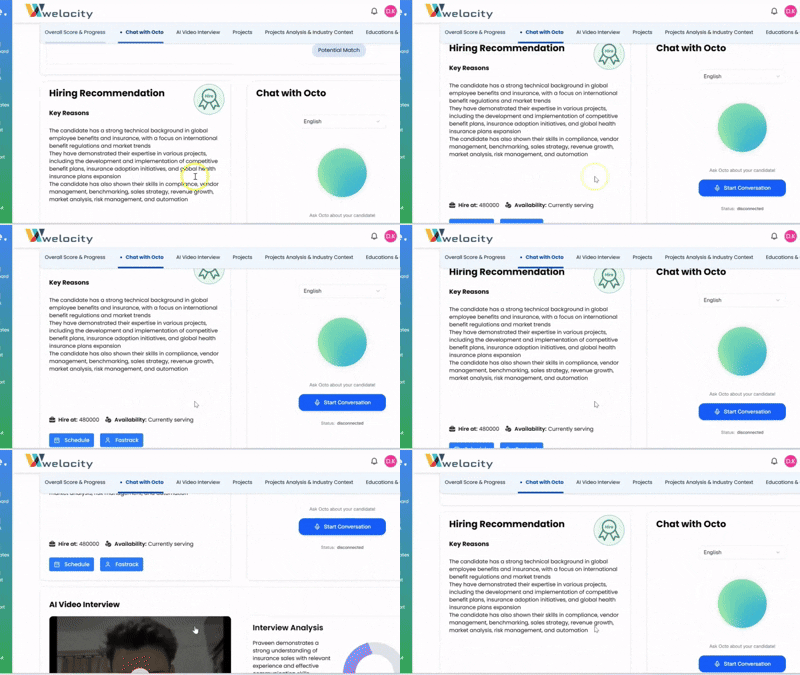
- Locate Hiring Recommendations: On the candidate’s profile, you’ll first see their summary of experience, skills, and other key features. Scroll down the page. On the left side of the screen, you will find the “Hiring Recommendations” section.
Here, Octo, our AI assistant, provides specially curated recommendations. Octo analyzes everything from the candidate’s CV to the job description match and presents factual reasons to support its recommendations, helping you make informed hiring decisions.
Octo’s hiring recommendations are designed to streamline your evaluation process! Feel free to ask if you have any other questions.