Doc Summary

Only for client
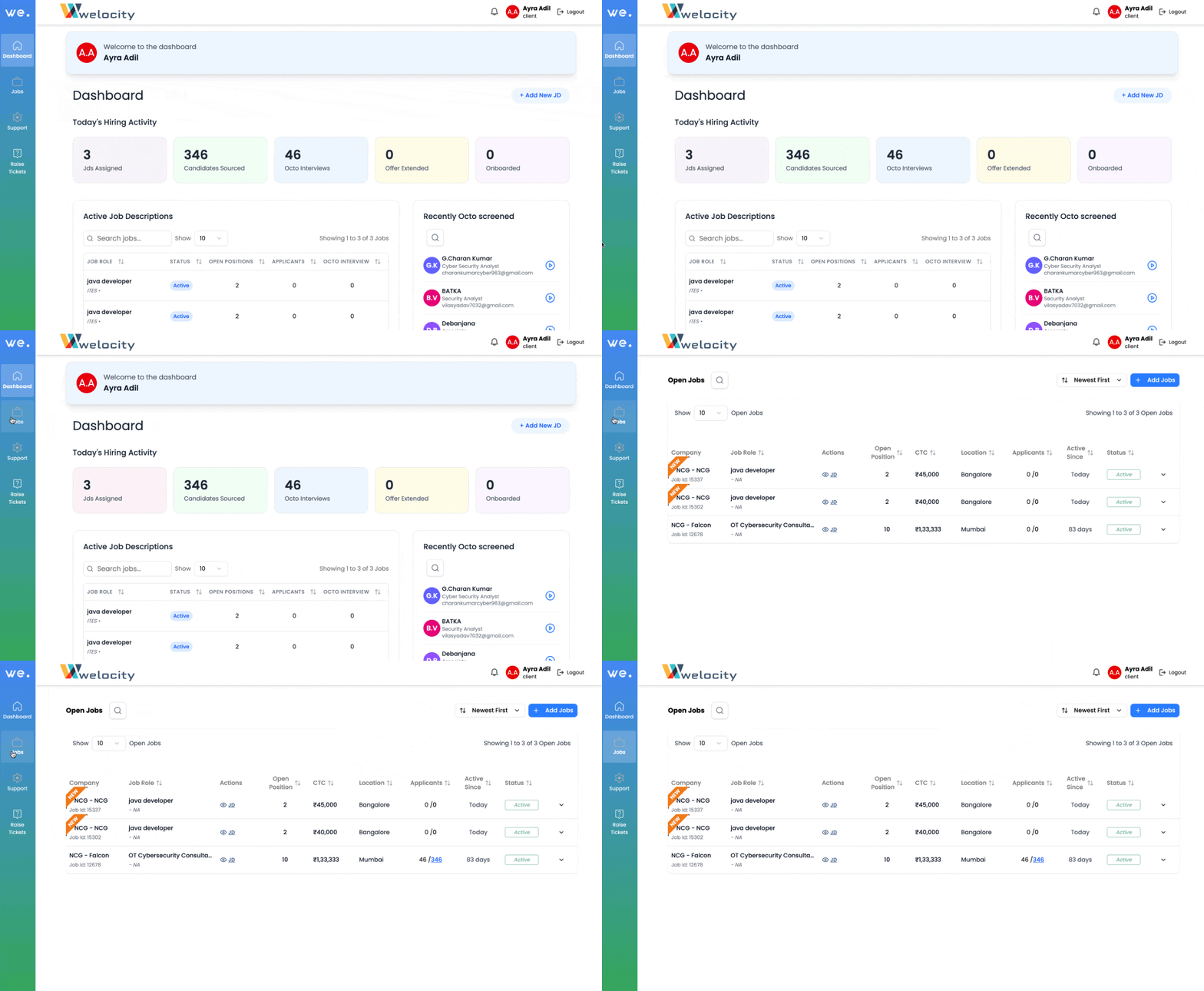
Navigate to the Jobs Section:
- On the left-hand side of the screen, click on the Jobs icon (located below the Dashboard icon).
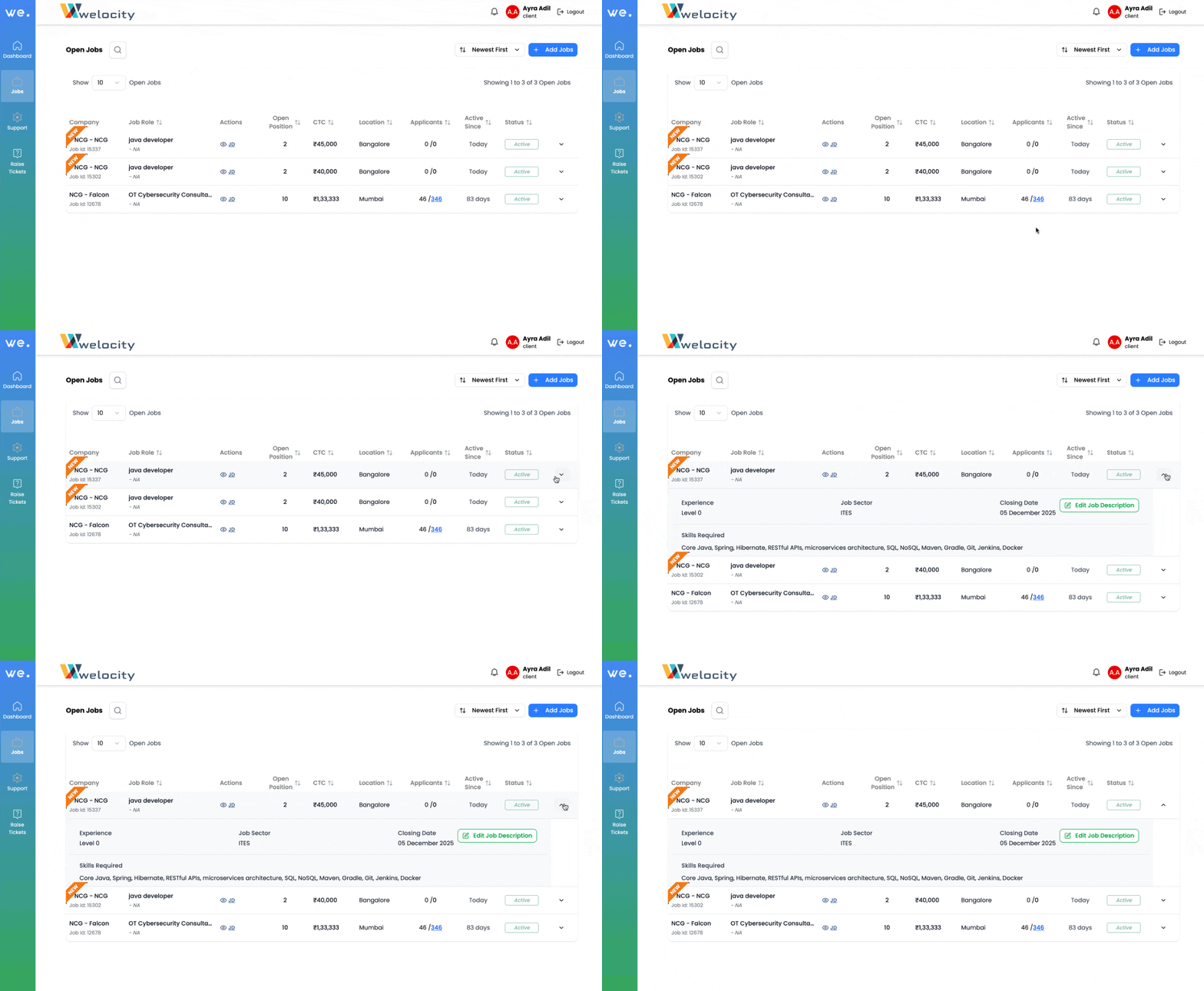
Locate the Job Description:
- Near the activity status , click the drop down arrow
- A brief summary of the JD in keyword format will be displayed.
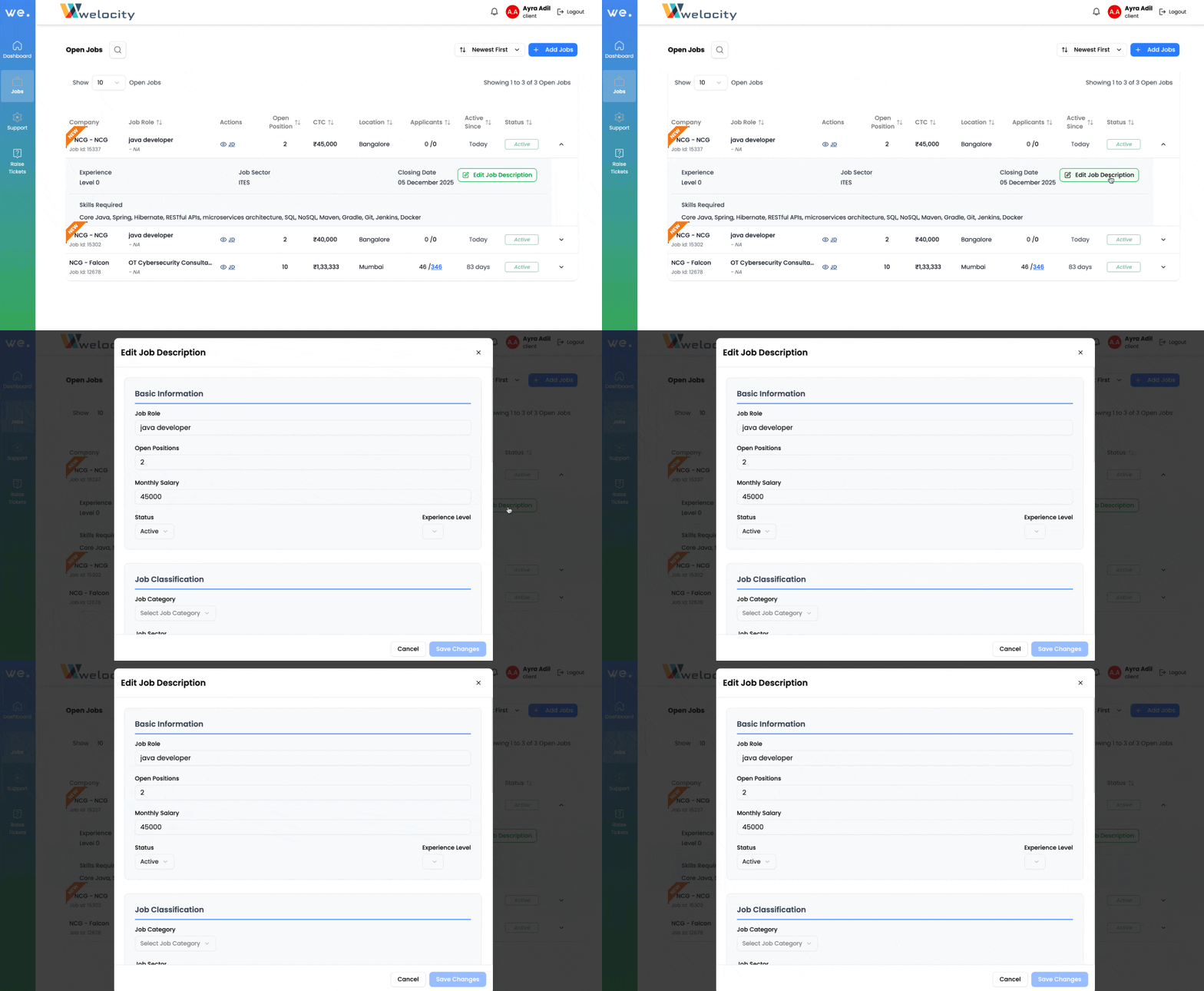
Edit the JD:
- Click on the Edit JD button.
- Make your changes, then save or update as needed.