Doc Summary

Steps to Access Candidate Insights: #
- Go to the “Candidates” tab from the main navigation.
- Select the candidate whose profile you want to review.
- Scroll down the profile page to access the Candidate Analysis Section.
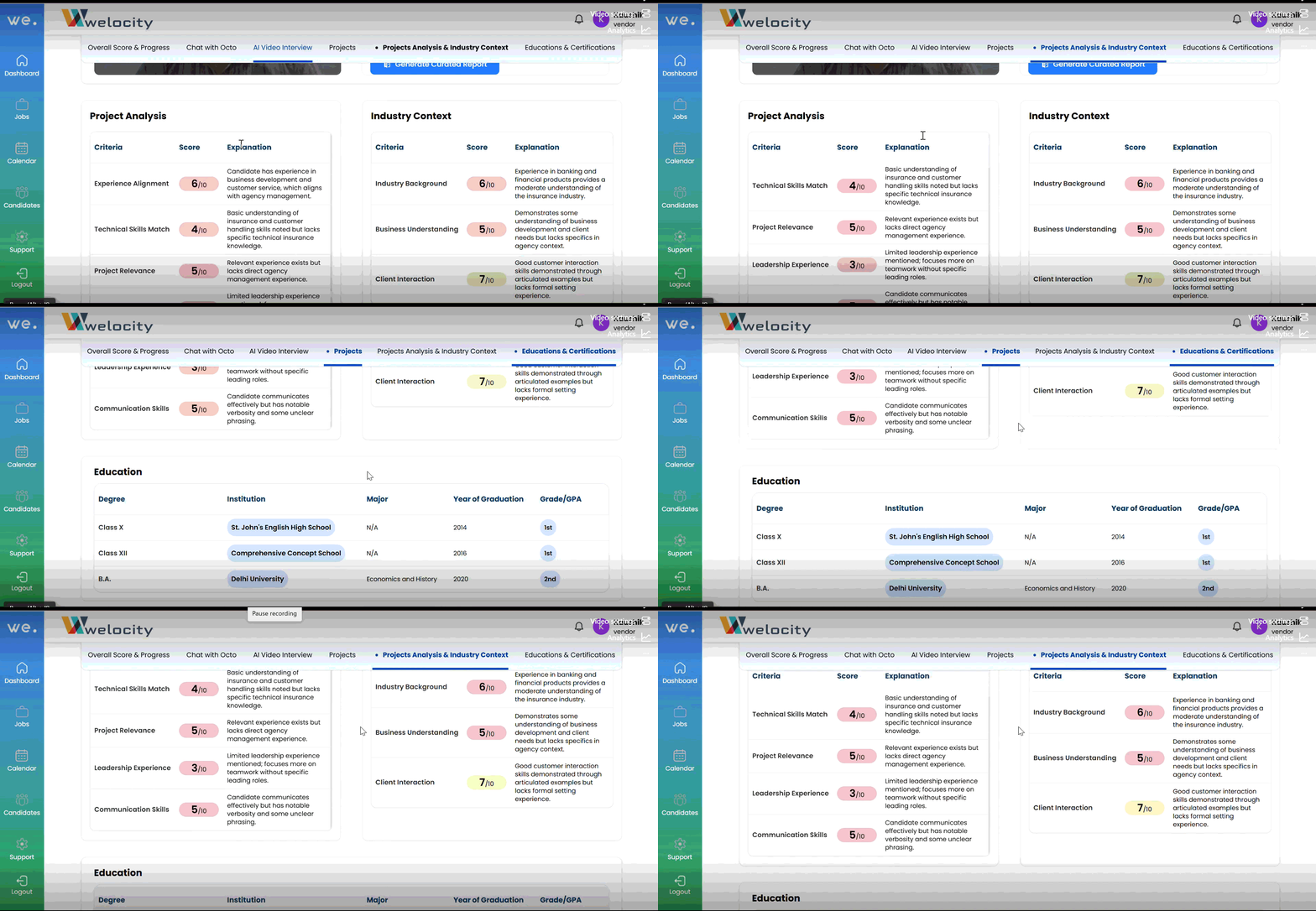
- The candidate’s profile includes a comprehensive breakdown with the following insights:
Project Analysis: Evaluates the candidate’s past projects with scores and explanations.
Industry Context: Assesses how the candidate’s experience aligns with industry standards, including a contextual score.
Education Snapshot: Displays a detailed table covering: Schooling history, College education, Certifications obtained
Need More Info? Use “Ask Octo”
If you have additional questions or need deeper insights:
- Click on the “Ask Octo” button available on the candidate’s profile.
- Type your question (e.g., “How does this candidate compare to others in the same role?”).
- Octo will provide a smart, AI-driven response instantly.